Showing posts with label vlog. Show all posts

Monday, 15 June 2009

#eden09: educational shift in Japan, using ubiquitous learning by Haruo Nishinosono

a collaborative platform for designing ubiquitous learning by Haruo Nishinosono, Institute for Learning Development, Kyoko Saio and Kunio Nakamura , Japan

(Grey haired, glasses wearing man in a beautiful black suite and with a very sensitive way of speaking in which you can feel the grandeur of sensitive Japanese phrasing to highlight critical thoughts. It reminds me very much of my grandparents way (strong Protestant) of touching sensitive issues.)

While he looks at designing ubiquitous learning, quality is mentioned as a key factor:
  • Ubiquitous learning aims to realize a learning process and/or outcomes free from teachersʼcontrol and intervention.
  • Despite such characteristics, ubiquitous learning should be designed to achieve quality learning outcomes and a high level of learning.
  • How can we describe such high quality learning without alluding to instructional objectives?
So he looks at the conversion from a teacher lead instruction to a teacher growing by learning his/her practical experiences, while looking at learners that want to become teachers.

I taped rather a lot because this presentation also gave an overview of how the shift from teacher/student went into more autonomous learning.

The presentation focused on the mentality shift from the more teacher-student oriented approach to more autonomous learning and especially the process Haruo Nishinosono went through as he was trying to make this change happen. So he takes the audience along his ever changing educational approach leading up to where it is now. This feels like a necessary process, as history or the processes behind a result are sometimes forgotten or not archived.

Although the quality of the movie is not optimal, I do hope it adds an extra layer to the slides.


In addition I found slides from a previous presentation, some of the slides are similar, others different with more text, so the combination of both the movie and the other slides, I found complimentary. I hope you do too. Meanwhile I will ask the shown slides as well... I'll keep you informed.

Friday, 12 June 2009

#eden09: my poster presentation on mobile continued medical education

This is a link to the poster presentation I gave today at EDEN09. During this conference mobile learning was not really mentioned a lot.

I also put in the movie of my (always moving) body as I present. The movie was filmed by Kristof who I filmed yesterday, so he put his foot down and told me I needed to put myself and my way of presenting stuff out there as well. So yes, I have problems with standing still... (amongst a speech impediment that is enlarged by my camera microphone, huge glasses, rather chaotic, ... but hey, that's me :-)


#EDEN09 keynote speakers Friday: philosophy, new technologies and ethics

keynote speakers Friday
(any thoughts I might have during the speeches will be noted between brackets proceeded by 'remark')

"Here and now or wherever and forever. Dilemmas of Universalism in a global world" by Krzystoph Zanussi, Polish producer and film director, professor of European film at the European Graduate School, Switzerland and the Silesian University in Katowice (great, film in the description!)
(A smooth talking, grey haired, glasses wearing, man in suit)
He talks about 'human rights' being discussed for being not universal, but some elementary rights are elementary universal. He mentions this because the conference is located in Gdansk, a key city to stand-up for change. In 2000 a chart of human rights was constructed, but it was not too popular because obligations could be linked to these rights

So how universal is our consciousness and how do we use it for education?
The right to be not-informed is also a human right, yet because of the rise of the media push we know things we do not really need/want to know.
Access to information is ok, but more importantly the filtering of information becomes essential (see this part in the speech in the movie)
His question: the future of our community, what is it?
19th century had a fixed set of ideas: more freedom, more health, more education. The quest for freedom was clearly stated. If we look at us now, a lot of us lives in good situations, but ... what if everyone hops on this 'developed' way of live?
So, what about the genotype? Should we look for something better with scrambling the genotype. So do we use technology for improvement or not? And, what is improvement? This is a mental question, it is philosophical.
Are we sincere in striving to get better human rights? No, not most of us, because we cannot give everyone cars, poluting technology... But if all new wealthy people in the world would want to spend their time at the beach, there would not be enough beaches. Museums would not be able to cope with all the interested people, virtual visits are the solution... so what does this mean, This means that some of us now use the means that not all of us can use.

Than he said something about climate change in a talk with NASA official (see the movie below)

Does anyone have thoughts on what Kriszoph talked about? I am plee for more ethics, but indeed it is not easy to walk the talk.


"Best of times, worst of times... for open learning" by Gilly Salmon, University of Leicester, UK
(I will be quite critical on this speech. This is not that fair, as I like and admire Gilly Salmon a lot, but being critical is part of me and this is how I build my mind. And knowing what Gilly knows, I have of course very high expectations).
Quoting Charles Dickins (1859) from 'tale of two cities' intro... really beautiful to use.
We have the responsibility to deliver the 'best' resources for education (remark: but what is best, because the cultures are not equally placed to dive into new (technological) learning.
The tale of two cities was written part by part (published in parts for magazines)
low cost gadgets are the way to try out new learning techniques
She pleeds for herassy, as herassy is the way research and science moves forward (think Darwin, see part of the movie).
(remark: the examples of people that used technology or innovation (Charles Darwin, charles Dickins, ... are anglosaxens from an imperialist era... so how does this relate to ethics in a new learning world searching for 'best'?)
Synetics are essential: bringing together learning and technology, the idea of creativity and technology and pedagogy.
The virtual world of the Media Zoo is shown.
Gilly stops with a question to implement more art and other disciplines in learning (I am cheering when I hear this! Yeah!!).


"Social Innovations in Online learning: sharing individual progress plans, learning partners and global students profiles with NKI distance education" by Morten Flate Paulsen, NKI DE, Norway
presentation is posted by Morten and he asks you all to comment on it, great! http://home.nki.no/morten/
Mentions that online students get better grades.
He links to cases of succesful students, which is nice.
He mentions that the first lms in his uni was built in 1986, the first web-based courses in 1996.
Look at the ppt if you are interested in the NKI innovations and especially the student cases.
He ends with saying that transparency promotes cooperation.

"Welcome for the web" by Russ colbert, Polycom,
Only personal questions here;
Why is Polycom a head sponsor, yet they do not stream any of the sessions?
Why does an eLearning conference play a pre-recorded speaker (yesterday) during a plenary? Why not put a link to that speaker prior to the conference, with the option to send her/him remarks that can be answered by that speaker. This way that specific recorded speech might generate more interest than the others. But just watching a very one-frame set movie in which one person talks not altogether dynamic does not make much pedagogical, learning sense.
And why did the live polycom connection go to New York, when I know Polycom enables users in low resource areas to connect as well, so it would have been an extra to also go to a different global world. They could put themselves more in the picture I guess.

Thursday, 11 June 2009

parrallel session #eden09 thursday morning that I attended

"The use of a peer-assessment and a reflection report to measure collaborating learning efoorts an interdisciplinary project for studetns of the faculty of teacher training, the faculty of social work and welfare studies, and athe faculty of health care" by Kristof Uvijn, Hogeschool Gent, Belgium.
A nice person with glasses, a black shirt.
Problems: would they use it to promote the learning process, or only for evaluation purposes?
They have a midterm evaluation to get the students more at ease with the technology.
they used it at 150 students from 10 different courses (teacher, logopedist, nurses, ergotherapists, ...)
The students are not face-to-face, but only see themselves 5 times throughout the year. The students are all in their last year before finishing, so the better students.

Want to hear/see more, look at this vodcast (just uploaded the movie, so it might not be accessible yet, depending on the youtube upload capacity, but you can see it later for sure):


"Online Learning: variations in Groups of parcitipants and tools" by Miri Shonfeld, Ilana Ronen, Kibbutzim College of Educatin Technology and Art, Israël (ah, art already in the title!)
(this presentation wanted to go immediately into the wiki, but the connection did not allow it)
Students with learner dissabilities (Inge, try to get her contact details to be able to see it)
Blended learning with the classic face-to-face meetings at beginning and end an two virtual field trips.

The question for the students: construct a science teaching unit.
They use a synchronous teaching platform similar to Elluminate and also asynchronous possibilities.
The course resulted in learning outcomes that were amazingly better results for disabled students. So an analysis was made:
students with disabilities participate more in an online course than in a f2f-course.
These students also evaluated the course much more highly than the others.
The final grades were also higher than the others (the others included the 'excellent students'.

why: because disabled students had to learn on their own anyway, they were better at time management (they do not have to wait for pick-ups, or other time consuming actions).
online courses allow them more flexibility which is motivating for them.

Friday, 29 August 2008

A quick intro video from Graham Attwell about Personal Learning Environments

With the academic year coming up, quick videos that capture the imagination of learners and at the same time give a quick impression of relevant topics are in high demand.

Graham Attwell and Andryan Puscuta have published a great video on Personal Learning Environments. It hits the mark with quickly talking about history of recent communication, informal <=> formal learning and what PLE's are.

A surplus of this video is the comic book feel it is designed in. If you are interested in implementing this type of design, there is a great photoshop tutorial on how to get this look on to your pictures (and with some experience in other software's you can extrapolate it to free or other designer software).

Graham Attwell has an eLearning blog Pontydysgu with lots of links to other audio and video material. The great thing about Graham is that he shares what he learns, it is really great material.

And here is the movie I mentioned. It is really handy as an PLE intro, or at least I think so.

Thursday, 21 August 2008

Geometrics can be fun in squareland - Flatland the movie


Do you remember the time that you were trying to cope with geometry? I remember my encounter with squares and formulas and well, I was not to enthusiastic about it. But now there is geometry fun coming right to your screen!

Emre Sevinc (who has an astonishing knowledge on eLearning, IT architecture and cognitive sciences amongst others) got me on this great movie which features geometrical characters that speak with the voices from famous actors.

Let me paste the synopsis of the story:
"Flatland: The Movie is an animated film inspired by Edwin A. Abbott's classic novel, Flatland.
Set in a world of only two dimensions inhabited by sentient geometrical shapes, the story follows Arthur Square and his ever-curious granddaughter Hex. When a mysterious visitor arrives from Spaceland, Arthur and Hex must come to terms with the truth of the third dimension, risking dire consequences from the evil Circles that have ruled Flatland for a thousand years."

Does not this look like great fun! And look at the trailor, its simply motivating. And the movie is part of an educational dvd also. Sometimes I wish I was a kid in this age.


Another movie that made my day yesterday (watched it on my mobile while commuting) is 'the history of computers' made in the 20th century, it still gave me great new insights in the computer evolution (new names, economic factors).


I just love these new media.

Thursday, 26 June 2008

How the brain works according to Dr. John Medina and Wii


Keeping up with bloggers is a hard thing to do when time keeps on ticking away, but one of the inspiring bloggers I enjoy keeping up with is Dennis Coxe’s Sailing by the Sound blog.

In one of his last posts he got me on to this presentation by Garr Reynolds based on the book ‘Brain Rules’ written by Dr. John Medina. The presentation is a lot of fun, really focused on the essence of how the brain works and specifically how presenters can make a presentation much more thrilling for their audiences. The only downside is when the presentation falls into the “10% oral/ 30 visual/ 65% oral and visual" trap; which has been discussed and mentioned by many but here is the Cisco side on that = non-scientific numbers)

A book that also relates to this topic is the book "Beyond Bullet Points" by Cliff Atkinson.This great author focuses on the importance of the narrative to make a successful presentation.

Okay but back to the presentation of Garr Reynolds, it is an amazing one! Just to give you some pointers on what you will see once you go through the presentation, here are 3 of the 12 rules from Dr. John Medina:
  • Exercise boosts brain power;
  • We don’t pay attention to boring things;
  • Vision trumps all other senses;
Unfortunately internet interruptions (or other interruptions) seem to give a 50% decrease in attention span and in time effective completion of any task. So sorry, AWAY with ‘office islands’ (IMHO) and mails and phones when you need to think. Just go to a secluded site and think while exercising each time you feel stuck. After 10 minutes most of your audience attention drops, so do something emotionally relevant to keep their attention.

This presentation also mentions the importance of patterns or reoccurring ideas. On the other hand pushing too much information into someones brain also does not pay. Connect the dots and repeat. And John Medina goes on that “there is no greater anti-brain environment than the classroom and cubicle.” (here, here)

Unfortunately again I am pointed out on the importance of exercise and yes I do not always like to do any physical exercise, but I sooth my brain by telling myself that I walk enough (I walk for at least 1 hour a day, otherwise I do not reach my office).
Luckily a couple of friends bought a Wii and so yesterday I went over to them and I had myself a hell of a workout without even knowing it while playing 'boxing' (a lot of muscle pain today). So although my computer work limits my physical exercise, my soon-to-be-purchased Wii computer console will help me in exercising. I know, you doubt the amount of exercise a Wii can give. Well, just look at this short boxing clip (I am the one ducking and eventually loosing, but WAW what an exercise). (the comments are in a local dialect and my excuses for whomever can understand them).


Wednesday, 16 April 2008

AG08 session I'm Busy Enough ... What Do I Need a Second Life For? by Alan Levine


(For the live blogging info look below the AG08 synopsis)

Alan Levine's blog

the presentation that he gave

The Second Life wiki of the NMC campus

Second Life, and virtual worlds in general, are high on the hype curve this year. While it’s easy to point fingers at the well-known failed corporate attempts to use these environments, the sheer number of people actively involved, the time they spend in virtual worlds, and the intense nature of the experience suggest it has a place for e-Learning. Second Life is an easy target for shoot-from-the-hip media articles, and it’s proponents often come off as religious zealots. This speaker is an open-minded skeptic, and unsure if virtual worlds will ever even approach the ubiquity of the Web. At the same time, his experiences are that this is a compelling environment for role play, simulation, creative expression, extending a professional network, and developing new ideas.

Session participants will share the experiences and lessons learned from the New Media Consortium's activities in Second Life, starting in January 2006 before the media caught on to this technology. NMC has run a series of live events, including two full-fledged conferences (with paid attendance); has created a business and development arm, and is currently the largest Second Life education landowner (50+ sims).

In this session, you will learn:

* An inside look at Second Life culture and lingo
* Best practices for support systems built around a virtual-work effort
* The wide range of possibilities for interaction and creativity in Second Life
* How an organization can effectively conduct meetings and events in a virtual world space


Live from room Palm 4 at Hilton, Orlando, Florida
Alan is a fun person with critical thinking skills.

why do virtual worlds grow in this day and age?
  • because a lot of people are getting there: good networking
  • because it is cool
  • because of bandwidth
  • because of games
Alan is a dog (in SL he adds).

photographically lists virtual worlds

FAS tries to list the growing landscape of virtual worlds

gartner looks at the research on virtual worlds

Levine's law: start with the %%%% demo! (good one)

In second life 250 lindens = 1 dollar, linden is the currency, you can buy it with your credit card. So Second Life (SL) you can buy and sell things. You can design things, build... just like real life. Building is not for everybody, but there are free classes, there is also a scripting language to make things interactive.

10% of the people represent themselves as a different gender. You can change however or to whoever you feel like (aliens, glowing cubes, cats...)
But unfortunately you still need to choose a gender when you register for SL, which is a pity.

(Alan shows a fun collage - must be in his slideshare thing)

SL is about rich experiences by roaming the world where you interact with other people, it is SOCIAL. (mentions a couple of SL

It is easy to take podshots at SL, as long as you did not investigate SL in (virtual) person.

One of the reoccuring questions is 'where do people get the time to enter SL'

Henry Jenkins from MIT on fanfiction (not sure about the word, need to look up) he turned it around and asked where the anti-SL'rs found the time to podshot it.

it is visceral: you react in a very real and human way


It is demeaning to say why do people waste their time with it. It is good to be skeptical, but you must keep thinking.

some skeptical thoughts:
the graphics are okay, but not up to gaming standards.
gamers think: there is nothing to do (okay, not like game scenario's)
fearful people do not like the learning curve, the technology keeps people away, you need strong graphic cards.
How to be functional: clothing, walking, flying... you learn and evolve by doing
(humour: too weird! I was chased by a giant penis)
How do I make money


SL looses a lot of people after their first experience (he will get back on this)

The Horizon report (since 2004) look at the landscape of emerging technologies; things that will become commonly used in the educational sphere (f.e. serious games...)

In Jan 2006 they developed a SL environment (in the beginning nobody came) so they started asking people, started art classes, provided meetings... this got the community going.

International space center in SL is a place to visit!!

If people join a community and follow the same event, people begin to share their experience and knowledge. So it is really social.

(see vlog)
nmc started organising conferences
nmc started the educational landscape and developed all kinds of educational related spaces (harvard, mit... )

SL is Visceral

Question from the audience: where do you find out about conferences etcetera to get to know SL?
if you are in the educational realm there are a couple of SL options, there is a SL events calendar (contact him to learn about it).

If you do not do anything in SL your avatar starts doing things automatically (falling a sleep).

We go to virtual hallucinations (a simulation of what it is if you have hallucinations or are a schizofrenic, it is based on real research)
(I would record this, but my camera battery gave up)

SL is also very creative and experiential.

Alan shows retrievel, connecting with web content (live video streams, flickr, mapping...)
shows real time air traffic data (LA airport)
NOAH (an interactive weather map)

(another avatar is just flying in and looking at cogdog - funny)

If you enter orientation island you will see a lot of weirdos, just because orientation island is the first island where people enter SL. To avoid this organisations have build orientation areas.

Quackforms (not sure about the writing) is mentioned by Alan, it is a controlled environment, firewalled and everything. So you can share all your desktop activities. This is new technology and it is going to grow. Virtual worlds are really the thing to follow.

Conclusion: this was a very demo oriented presentation of SL and I really liked it. I - just like many other people apparently - joined SL just 2 and then put it aside. But thanks to a couple of educational friends and this presentation I want to go back in and really get active (I mean that in a passive way). And Alan has a lot of humour, so that makes it very pleasant as well. Mmm, I am definitely going to visit the nmc-landscape.

AG08 session Scanning the Globe: Connecting your Digital World to the World Around You by Brent Schlenker


(For the live blogging info look below the AG08 synopsis)

blog of Brent Schlenker (btw do not get scared while looking at the picture, he only showing his energetic soul)

It is still difficult to use mobile devices to interact with the Web and the world around us, but new technologies are being created to help solve that problem. There are many opportunities to incorporate digital data with learning events that take place in a physical, real-world setting. In 2007 this technology significantly expanded in Asia, and it is coming to the U.S. in 2008. Soon all cameraphones will have the application preinstalled, and you will want to use this innovative technology in your instructional design.

Session participants will learn about QR codes, barcodes that can be printed on anything. Cameraphones equipped with QR reader applications can snap a photo of the printed QR code to trigger events on their mobile device. The code could launch a mobile browser to a designated URL, or it might dial a phone number, or trigger the sending of a text message – there really is no limit to what this form of data entry can do. For example, suppose a museum or zoo simply had a printed QR code that would launch a video or audio clip explaining the exhibit? You will get many ideas for using this technology in your training programs.

In this session, you will learn:

* Basic QR code technology
* Examples of QR codes being used today
* Who might benefit from QR codes
* Ideas on how to incorporate QR codes into your training programs


Live from room Palm 4 at Hilton, Orlando, Florida
Brent looks a bit tired after a energy filled conference that has been going on for days. He groups us as high-geeks :-)

QRcode: quick respons code
two-dimensional code and the shapes define what the content is = barcodes.
you can load anything into qrcodes (phonenumbers, adds, contests...)

some interesting links
QRcode on wikipedia
mobile codes consortium MC2 (HP, Nokia...)
Nokia beta labs
zebracode from google (Android SDK from Google, the phones that have this will be able to scan qrcodes. )


2D barcode manifesto
1. The potential of 2D barcodes is limited only by your imagination
2. Mobile devices - formerly known as phones - will define the game
3. Barcode readers tightly integrated in devices
4. Free barcode generators
5. Avoiding fragmentation: emergence of global de-facto standards
6. Avoiding patent wars
7. Avoiding the “tragedy of anticommons”
8. Data Matrix and QR Code are currently the only feasible alternatives to emerge as de-facto standards
9. Unleashing user-driven innovation
10. Enabling 3rd party innovation


The great live blogger Tracy Hamilton is putting a post up, so I will just link to that post here. If you want you can see the session through a recorded ustream.tv-show below.

eLearning brainstorm with the participants, this is were my interest rises - but I found out we (at the institute) are already using a lot of these examples:
  • operating procedures that are pasted on instruments, machines...
  • because it is mobile, you do not need to type your url to be redirected to content information.
  • location based information can be delivered.
  • translation of signs
  • updates in manuals with qrcodes
Brent launches the possibility of getting a wiki going if any of the participants want to.

(suddenly realizing that with the other mobile apps, this does overlap sometimes)

AG08 keynote speaker John Patrick: the future of the Internet


(my own thoughts - if any - in itallics)

info on John Patrick

Up until now only 5% is being used of the Internet; and the Internet is about PEOPLE.

Digital music if the music managers would have listened to technologists, the music industry would have had no discussion about legally sharing music. The same thing will happen to all the other industries.

Local is the thing to look at on the internet now: it is both global and local.

In theory you can have one device that does everything, but what we see is divergence, more diversification of devices (mentions Amazon Kinddle).

power of the people, end-to-end, the power of the click (gives example of eBay that thought of everything insurrance etcetera look at vlog bit)


The website is for the learner/the client, it is here to empower the user (which ever role they have) => it is an ATTITUDE.

The net is never offline... ex-pats live global, so systems must be AVAILABLE at all times.

The compliance officer are the ones that have to open up: challenge them: what is the security problem EXACTLY, tell them you NEED this. The burden of prove needs to shift.

Killer app of the Internet: email remains the killer app. SMTP is the killer app. (I would think it is the search engine that is the killer app and I heard others say the same) Yet most emails stay unanswered by companies, that must change. (example of a company that replied that they could not reply through email - those companies will not make it in the future).
What about companies that ask you hundreds of questions before you can reach the information you need? What about incompliance on any digital level towards customers.

Spam: I get a lot of spam (82%) so I use a challenge response authentication, which allows human intelligent filtering.
From a personal point of view mechanical spamfilters work against a good communications flow. Read John Patrick's book for more examples.

Gives health care examples, because this is still old school (in US).

the internet goes lifelong learning, it is no longer about kids... its about all of us that want to learn and stay updated. Learning how to learn is getting increasingly important. Libraries are great places to collaborate, learn new digital learning.

So the conclusion is, that the internet is a HUGE opportunity for all of us and our companies or educational institutions.

A comment on the bubble. It was not a pretty picture: technology version of what is happening in economic and housing sector today. Nowadays entrepreneurs are much more savvy, so people are smarter.

the FUTURE (see vlog)
major carriers are the biggest threat to our digital growth. so deregulate broadband.
other challenge: power supply and can the backbone carry it?
Everything is connected to the internet and in a lot of cases firewalled. If you have the cash you can do everything at home while you are somewhere around the world (give people access to your home, access the dryer, ...). It can be as secure as you want it to be.

wifi and wimax: gives a small description of both. And mentions cantenna wifi-antenna (look it up)

Where is the internet: the internet should be where we are: with a mobile device the internet is everywhere. The mobile learner is the biggest thing, a great software is Opera mini (the best browser for mobile devices). Iphone has boosted the mobile industry and now other companies come with 'iphone-killers' based on what iphone launched.

Voice2.0: Jingle networks, look at skyfire, pcmobilizer, ribbit, tuktumi, maxRoam, PCMobilizer


The internet is NATURAL: user generated content, gaming exploding, let's play tag - the long tail, wikimedia - the writeable web. Gaming is the big deal, IBM is designing there new applications around game structures, it is BIG.

the internet is INTELLIGENT: ajax, global application web unfolding, everything at your service, semantic Web (lots of tags).

STANDARDS are emerging to make things easier: open standards - the grassroots win.

can we TRUST the internet? seurity redefined, privacy policy and framework essential, linkage of brand and digital ID, block bad things with technology - not laws.

conclusion: we have to THINK OUTSIDE IN, think big, act bold, start simple, iterate fast
anticipate the evolution of the internet, build a framweork for chaoice and services, partner to the hilt, get a taste of net attitude: talk to kids.

Tuesday, 15 April 2008

AG08 session Mobile Learning Today and Tomorrow by Judy Brown


(For the live blogging info look below the AG08 synopsis)
The breakfast byte with Judy was already very motivating, so I am getting high hopes (she did mention she would speedtalk and speeddeliver knowledge... well, I am ready!)

The presentation of Judy Brown

Blog Judy Brown

(AG08 synopsis) If not already doing so, learners will be requesting mobile capabilities for learning. How does the growing mobile environment fit into your learning landscape? Have you implemented a mobile learning project, or are you planning one? Or you just don't see the need?

Wherever you are in this continuum, this session will update you on the state of the mobile environment, in relationship to learning and performance support.

In this session, you will learn:
  • Who is doing what in the mobile space (lots of examples)
  • What some of the future trends are
  • How to get started
  • A good overview of the mobile topic

Live from room Palm 5 at Hilton, Orlando, Florida
(how does she look, what is special about her, how does she speak...)

Judy tells us up front that she is really going to go QUICK, so I am ready to go. She comes from an educational background and... she comes across as a very knowledgeable mobile expert (impressive actually!).

Because she follows her ppt and because there are soo many slides, I am going to limit this writing to just a couple of ideas that I pick-up and is not mentioned in the presentation.

mobile: instant on, in the pocket, it has battery live that lasts a day, it is connected in some way is the definition of Judy Brown.

Judy is painting the bigger picture: we are learning everywhere and on demand. The demand is driving our learning.

the best example is Merrill Lynch (check out)

Good mobile learning community: LearningTown.com, another ning community.
Look at mobisitegalore.com
look at crisisresponse.mobi (developed in 3 hours!!)

Mentions 'new mother' courses in health management in developing countries.
Mentions CME (continued medical education) in developing countries.

I have made some vlogs about this session. Hope it will give you an idea of how inspiring, holistic and motivational her knowledge is.

Clickers used in schools to poll the students in the classroom (send this to Hiram Inge, possible solution for the attendance problem)

Mentions that a lot of companies are working on mobile solutions, so just ask them if they did not come out with something.

conclusion: this was a real mobile knowledge bomb! Okay, I want to work in her team, you do not have to pay me Judy, I will live and learn! You could feel the enthusiasm, the strong interest and in-depth knowledge.

Here you can find a couple of vlogs from the session:


What does the big room at AG08 look like?

Well here is a small vlog to get an idea of what the room looks like.
Keynote will start within a few minutes.

AG08 at the reception: people and how they come across


The eLearning Guild's Annual Gathering has started. Yesterday there were a couple of master classes and pre-conference sessions, but I limited myself to taking a swim (enthusiastic: there is a heated, big, outdoor swimming pool, hooray!) and going up to the VIP-reception in the evening.

The nicest encounter of the evening was with Alan Levine (of whom I am going to follow two sessions) he looked very open hearted and filled with warm energy. This was the person who new the most about technology and learning probably. Why? because he was just human, talking about casual things, he did not have to brag about anything. It must be really nice to be that secure. Wonder what I come across like? (less secure, I had my QRcodes around my neck in the hope someone would come up to me to scan me with her/his mobile - nobody did - I still have to learn a lot).

A couple of people I have met f-2-f in the past were there (Silke Fleischer from Adobe Captivate and the great Steve Wexler from the eLearning Guild - yes, a couple is to be taken literaly here). But then I looked around and saw a couple of virtual people there: one from the internettime community: Clark Quinn (who looks exactly like his picture at internettime, which means he looks a bit like a good friend of mine) and who is really friendly.

I also met chief learning officer of the
Fort Hill Company and co-author of the paradigm-changing book Six
Disciplines of breakthrough learning
and Will from the Thalheimer association, they gave a pre-conference research symposium on Measuring eLearning success. They were uptempo and funny, Roy seems to have explored the realm of formal learning, he has several degrees. Because Roy is so well educated I could not help myself to answer his jokingly stated question "so what is the difference between a live and a dead blogger" with a completely serious answer that he took for real, sorry Roy.

(in the vlog below you can see Alan Levine (with beard) shaking his head, Steve Wexler asking if I am videotaping and Will Thalheimer and Roy acting like a comic duo)

Monday, 10 March 2008

CommonCraft on Twitter

For anyone teaching about Twitter: look at (yet another) cool video from the CommonCraft team (Leelefever in particular):

Wednesday, 28 November 2007

script for vodcasting workshop at OEB

This afternoon I will be delivering a hands-on workshop on vodcasting. This is my scenario, if you see something that I have missed, feel free to comment.

Scenario WS video blogging

What will we be doing: 10 easy steps for video blogging

1. Update your computer
2. Get video compression software
3. Compress a video
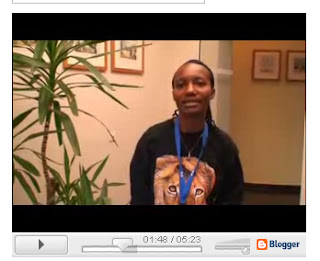
4. Take a screenshot/snapshot of your movie
5. Get a video blog account
6. Get a creative commons license and insert it into the blog
7. Get a broadcasting account
8. Upload a video + tag it
9. Get RSS going
10. Comment on each others video posts

Extras: movies for mobiles, how to improve your blog…

Where does video blogging fit into the new media? In Web2.0 + a bit of talk about what web2.0 is within eLearning context.


Simple IT guidelines:

Naming files
Avoid spaces or special characters in your filenames to keep your files working cross software. There are two simple solutions to keep your filename useable while you exchange it through different software’s:
• camel writing: GuidelinesOnFileNaming.ext
• use underscores guidelines_on_file_naming.ext

Structure your folders

For videoblogging you will need:
• A folder with your original movies;
• A folder with your compressed movies;
• A folder for your screenshots.
Use logical names which you can search in the future! myVideoBlogsOnLearning…


Update your computer
Before beginning it is important to get all the recent plug-ins working. You need to update:
Your operating system’s updates;
Your browser; (firefox )
Flash
Quicktime
Sometimes you need a java update as well


Get video compression software:
Get your hands on a video compressing software. There are a lot out there, so feel free to roam about.
• Windows movie maker
• Mac’s iMovie


Compress a video

You, who have brought a movie, please use that one. The ones who do not: ask me, I have a simple movie on my memory stick.

Best compression for video blogging: video for broadband 512 kbps
Depending on your own multimedia savyness, you could fine-tune your audio and video to your or your participants’ requirements.

Pointers for buying video compression software:
• Does it have compression for mobile devices?
• Does it allow audio and video auditing?
• Does it offer cross platform compressions?
• Does it have a SCORM possibility that will allow you to get your movies going on any Learning Management System (LMS)

Low resource settings: low resource settings demand a higher compression rate. This will decrease the quality, but it will enable them to look at the movies you have posted. This is where tagging comes in handy. If you tag every movie according to the compression rate, it will allow viewers to get files for their settings with one simple click.


Take a screenshot/snapshot of your movie
Select your movie player. Play until you have reached the frame you want to use as a screenshot.
Shortcut (windows): alt + print screen
(Windows) All programs => accessories => ‘paint’
Canvas adjustment in ‘paint’ => image => attributes => 1,1
Paste your screenshot into ‘paint’ and save it in your screenshot folder.


Get a video blog account
There are all sorts of video blogs available (wordpress, blogger, …) we will look at Blogger, because it is really easy and free.
You go to blogger.com and you can just start to get your blog ready.
Get an account and WRITE DOWN YOUR PASSWORD. Each time you log into blogger they will ask it.

Use an email that you can check from this computer => you will need it to allow commenting on your posts later on.

Go into the ‘dashboard area’ and let’s look at the possibilities.


Get a creative commons license and insert it into the blog
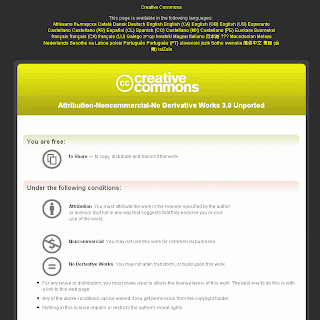
Get some copyright going. Creative commons:
Choose the license you like. Get the widget and insert it into your blog. Inserting any additional coding into a blog is done by accessing the dashboard and clicking on settings.


Get a broadcasting account
A broadcasting account will allow you to keep all your movies on one place and to get different people posting video blogs. There are again a lot of broadcasting software’s out there (youtube.com, blip.tv…) we will use blip.tv because it is free and it has come out as the best by users.
Let’s get an account and again write down your password.

If you choose a broadcasting account it is good to look at:
• Cross platform functionalities (different formats possible);
• Mobile possibilities;
• Accessibility.


Upload a video + tag it

Go to Blip.tv, login and click on ‘upload’. We will work our way through the different options.

Tagging is very important! If you use good tagging the chance of your video blogs being picked up by random surfers with a similar interest is increased.


Get RSS going

An RSS (really simple syndication) feed enables people from around the world to get regular/live updates of your blog. If for instance you are implementing a just-in-time eLearning program for team workers across the globe. They will immediately be notified once your new video blog post is uploaded. This will safe time for everybody.
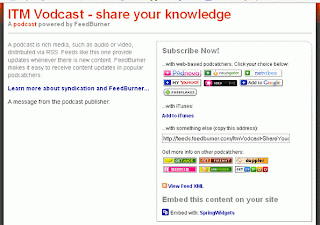


You can add a feed of your own to your blog, but you can also use one of the many feed deliverers. We will use Feedburner.


Comment on each others video posts
Commenting on blogs is essential to keep your blog active and increase your reader potential. So let’s go and have a look at what all of us have done. I have put your blogs on my blog, so start from there to add your comments.


Extras
Pollish your blog:
You can increase the userfriendliness of your blog by implementing some easy guidelines. For this I refer you to Building a Better Blog site and 31days to building a better blog links.

Things to consider:
Codec
Use codec (compression/decompression) that is a standard.
The latest shift in video compression is the use of the h264 codec, this codec however is not functioning on all equipment (mobile devices etcetera) yet. But its use is increasing. But still, do not depend on this yet.

Reusability of video files

Getting high polished movies is ok, but certainly not necessary to get higher outcomes. If you want to deliver content to low resource settings, or if you want your content to be reused later on, it is wise to keep the individual movies short and easy to access.

If you will be using video blogging as a tool for eLearning, it is good practice to keep the individual movies short. Cover one learning outcome per movie. But that is not enough. Try to keep the original scenes of your movie well structured in your ‘original movies’ file. This way, if certain learning content changes, you will only have to retake that small bit of the movie. If you tape everything in one big file, you will have to redo a lot of work.
If you link the content of one movie to a learning outcome, you can reuse it later on in a different context that is also in need for that particular learning outcome, hence saving you time.

Quality

If you have the means to invest in a good video studio, please do.
But setting outstanding standards for your audio and video quality or the surroundings for your recordings will have totally no meaning, if you do not get your learning outcomes covered in your movies. Content is as always the most important thing.

Engage your learners
If you are aiming to address learners, make your movies engaged. Speak to the learners immediately, use the maximum scale of your voice (if you can go with 2 octaves, please use it), grab their attention, don’t just sit there…

Nice link of peer-to-peer video blogging: http://www.friction.tv/home.php

A great freevlog tutorial on video blogging: http://www.freevlog.org/index.php/category/tutorial/

Contact me
Inge de Waard
Blog : http://ignatiawebs.blogspot.com

Tuesday, 30 October 2007

tips for Search Engine Optimization from Google itself

In my quest to optimize my blog I came accross this SEO movie. It is over 1 hour of media, but worth it if you want to get some on optimizing your blog or site.

If you do not feel like watching the video, take a look at what Stephan Spencer wrote on CNET.

Thursday, 13 September 2007

promotion while engaging students

The last couple of days the eLearning team has been working on videos that show students from around the world following the Short Course on AntiRetroviral Therapy (SCART) in Antwerp, Belgium.

We wanted the students to become accustomed with the multimedia aspect of blogging, so we mounted the videos on a videoblogging site: itmvodcast.blogspot.com that will be implemented in the curriculum with added movies from the field, seminars ...

It is a great experience combining high video and audio quality with student interest and enthousiasm.

Used technology:
Sony HDRHC5 HD 4.0 megapixels with the H.264 codec;
ME 105 Sennheiser wireless microphone;
editing: Final Cut software

Monday, 13 August 2007

comparing Twitter, Jaiku and Pownce

Comparing Twitter, Jaiku and Pownce, gave me a better idea of the things I could use them for. Just read the table to get a quick idea of the differences or look at the video.

Why use it for eLearning purposes:
To inform your learners of the latest developments in eLearning software;
To announce a course that is starting;
To remind them there is a deadline approaching;
To give them more of a team spirit, we all know it is difficult to get a community spirit going and these microblogging systems help with that;
To give learners in low resource settings the possibility to add ideas to a discussion;
To ask a question and get a lot of answers;
To inform learners of a spontaneous get together;
…

Why I want to use it?
Because it enables students from low resource settings to become part of an online group through their mobile phones. And because it is fun!


Twitter

Jaiku

Pownce

Rss available

Rss available

Rss is bugged

Mobile support works great

Mobile support only for Nokia smart phones for the moment, but the java version for the rest is in development

No mobile support

One message template

One message template

Some templates for sending specific things: events, links

Limited amount of characters to be written

Limited amount of characters in the post, unlimited in the comments

Limitless approach to the message that can be send.

No grouping

Grouping is possible with channels, you can easily become a member of existing channels.

You can group persons in sets

No attachment option

No attachment options

Attachment options

You can see a thread of the direct messages

The threading is very interesting: although the posting is limited to 140 characters.

Comments are possible and the comments can be as long as you wish.

Threads visible by clicking the title or choosing what you want to see.

posting and commenting characters are unlimited.

Public timeline

You can explore public jaikus.

No public timeline, which leaves you disconnected to potential interests.

api documentation available

Api available

Api is not there yet, but it is promised for September 2007

web based

web based

Web based and desktop feature, BUT this requires installing Adobe Air.

Support, but not immediately linked to a community, it’s more of a FAQ-page

Very nice support community

No immediate link to a support community

Limited notifications

Notifications limited to mobile or sms

More notification options

you can not easily customize your profile

Only limited adjustments in your profile are possible

You can customize your profile

You can personalize the background + color scheme

Your own background image

You must select one of the fixed themes


The nice specials

Great Firefox extensions

Very nice location feature

You can forward a note

Add feeds to your Twitter e.g. with Twitterfeed

You can integrate other feeds (e.g. your twitter feeds J


Monday, 6 August 2007

video exploring day

This year we will start vodcasting (video on demand) at the institute. We were already dabbling with it, but ... it is coming along now and we will soon start with informative movies for our new students.

In a later stage these students will be motivated to publish their material.

In this quest for easy access and information I came across the amazing ustream.tv.

This was send around and a couple of organisations I am in (mainly gender empowering ones) will be using this to get their conferences live online.

The Web surely works amazingly quick.

in house our aim is to:

- publish some vid's on what ITM looks like and what the students can expect
- publish vid's of some major individuals at ITM;
- and publishing video's that relate to the research that is done here;
- broadcast live.

this way we can augment the digital Web2.0 impact of ITM.

I really love Web2.0.