IBM has made content without including learners in the production process of courses!! (see below at Bert De Coutere).
Paul Westeneng
Wiki Welten: Dutch wiki working on the media wiki engine.
usage went down, below expectation, mostly senior contributors that were adding content.
most users expect handson information, which gives a problem if it is not immediately delivered => integration of different poles (see image) = usage got spectacularly back on track.
other changes:
Nick van Dam
global talent challenge: how can we develop next generation leaders? A lot of the baby boomers will go out soon (mwoehahaha). A lot of old jobs will no longer be there.
building strategic learning capabilities: higher content is the trend in business learning. (harvard business school's management and leadrship courses (check this out it is online learning with certification).
deloitte uses podcasts, screencasts (streamed)... (the things we use at ITM, so we are doing alright).
one competence framework for everybody and they mapped competancy with different learning objects. online learning curricula for all business units
use a internal myspace for the company.
eLearning for kids
Bert De Coutere
learning at IBM
they use tagcrowd.com
talks about the ibm knowledge factory
here he puts out a question to the room: 'how can you involve the learner without loosing the quality?' Something strange here, apparently IBM has been developing courses without input of learners from the beginning.... this is REALLY unsuspected!! They should include learners from the beginning? I am at a loss now.
As one woman suggests that he should ask the learners to give all the content and than discuss it, he actually says 'that is a possible idea'!! Okay, my partner is right I live in another world. Definitely need a reality check (again).
Thursday, 29 November 2007

mobile learning session in OEB
Join mobile beta (see below). A very informative session on mobile learning applications
John Traxler gave a great overview of the impact of mobile on all societies (have broadcasted it, will put up the link soon)
Gabor Kismihok
Very interesting pilot case!!
blended mobile learning example, things I picked up:
Tool: adaptive testing
all content based on educational ontology (I need to look up the educational ontology slide)
integrated mobile forum in CMS! profs give feedback on questions that might be raised during the lecture.
administrative SMS communication (like this idea)
Andreas Ua'Siaghail
(pax warrior - resolve labs)
because mobiles are a personal instrument, it is good to give the students the choice in which mobiles they use for learning. Better than pushing a mobile on to them.
he asks to get involved in the full beta of 'part of pax'
Andrew Keen at OEB
While he is kind of a pedant speaker (I hope for his karma he only plays it), he makes some good points.
- Kids are running the show, look at wikipedia, facebook...;
- economy of today is a Web2.0 economy;
- everyone is an autority;
=> so the challenge is to implement media literacy, so all kids would get to know what content is interesting and so on.
He also wrote a book (of which he is no doubt very proud to a strange extend): 'the cult of the amateur, he really does not trust the fact that everybody can create knowledge => the infinite monkey theory (give enough monkeys a typewriter and one of them will eventually publish a shakespeare).
the kids are in control, so the monkeys lead the world => he is not pro new media lets say.
What would be interesting would be to look at the discussions in the French revolution on education (Rousseau...). Maybe those discussions would parallel the ideas he is talking about now.
He is going on on Pamela Anderson and why she is not as important as Marie Curie, though the wikipedia has equally long sentences on these two characters.
But I think, each time has its soap opera players and soap characters have always been discussed and used in stories and knowledge.
The characters of Greek mythology were soap opera characters... so do we say Greec mythology is not historically interesting and lets erase it because it was not scientific enough?
It would be interesting also to see whether there are historical waves that have a focus on science and then again on cultural ... etcetera with moral differences that are related to this.
Sugata Mitra was inspiring!!

What a fantastic speech of Sugata Mitra on education of children in an informal environment!!
I will link to the broadcast soon (the video quality is soso, but the message is really worth the effort).
Sugata Mitra spoke about experiments 'Hole in the Wall' where he delivered a computer with English resources on it and a touchpad to children that were computer illiterate, speaking Tamil or other non-English languages. The computer was set in rural Indian villages, in safe places that were accessible to children and ... he looked at how children interacted with this new technology. The computers were set in the playgrounds or somewhere in the open field where children gathered.
The most amazing experiment was one where he gave a computer with a course on it which was biotechnology and the course was in English, while the children were only speaking Tamil. After three months the children had learned biotechnology ideas and had taken in a lot of the english words of the course.
So Sugata Mitra concluded that any child can learn as long as it is left to their own devices and with the right triggering of emotions => anybody anywhere who is motivated through emotion will learn whatever content.
Now that is something impressive!!!!
I will read up on Sugata Mitra. He managed to change the world while giving access to knowledge to children in rural areas and living in the streets.... I want to add to the world as well. He moved my heart and head. In between all the people that speak at conferences and sell warm air, there are always a couple of inspiring and incredibly human people that really make a difference in the world.
plenary session OEB
At the plenary session of Online Educa Berlin. The internet connection is not surprisingly filled up and thus slow, but still I can stream a bit at ustream.tv/ignatia.
This morning was a great informal learning moment with Steven Verjans. Informal knowledge exchange always sticks to the mind because of the stories. Twittering through firefox with audio plugin that links to itunes... have to look for this mash-up.
going to stream now ....
This morning was a great informal learning moment with Steven Verjans. Informal knowledge exchange always sticks to the mind because of the stories. Twittering through firefox with audio plugin that links to itunes... have to look for this mash-up.
going to stream now ....
Wednesday, 28 November 2007
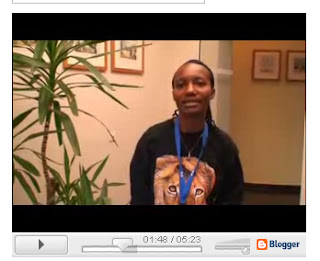
testing video blogging movie

These are most of the participants of the workshop. It is really intens, but great thanks to all the questions all you participants asked!!
script for vodcasting workshop at OEB
This afternoon I will be delivering a hands-on workshop on vodcasting. This is my scenario, if you see something that I have missed, feel free to comment.
Scenario WS video blogging
What will we be doing: 10 easy steps for video blogging
1. Update your computer
2. Get video compression software
3. Compress a video
4. Take a screenshot/snapshot of your movie
5. Get a video blog account
6. Get a creative commons license and insert it into the blog
7. Get a broadcasting account
8. Upload a video + tag it
9. Get RSS going
10. Comment on each others video posts
Extras: movies for mobiles, how to improve your blog…
Where does video blogging fit into the new media? In Web2.0 + a bit of talk about what web2.0 is within eLearning context.
Simple IT guidelines:
Naming files
Avoid spaces or special characters in your filenames to keep your files working cross software. There are two simple solutions to keep your filename useable while you exchange it through different software’s:
• camel writing: GuidelinesOnFileNaming.ext
• use underscores guidelines_on_file_naming.ext
Structure your folders
For videoblogging you will need:
• A folder with your original movies;
• A folder with your compressed movies;
• A folder for your screenshots.
Use logical names which you can search in the future! myVideoBlogsOnLearning…
Update your computer
Before beginning it is important to get all the recent plug-ins working. You need to update:
Your operating system’s updates;
Your browser; (firefox )
Flash
Quicktime
Sometimes you need a java update as well
Get video compression software:
Get your hands on a video compressing software. There are a lot out there, so feel free to roam about.
• Windows movie maker
• Mac’s iMovie
Compress a video
You, who have brought a movie, please use that one. The ones who do not: ask me, I have a simple movie on my memory stick.
Best compression for video blogging: video for broadband 512 kbps
Depending on your own multimedia savyness, you could fine-tune your audio and video to your or your participants’ requirements.
Pointers for buying video compression software:
• Does it have compression for mobile devices?
• Does it allow audio and video auditing?
• Does it offer cross platform compressions?
• Does it have a SCORM possibility that will allow you to get your movies going on any Learning Management System (LMS)
Low resource settings: low resource settings demand a higher compression rate. This will decrease the quality, but it will enable them to look at the movies you have posted. This is where tagging comes in handy. If you tag every movie according to the compression rate, it will allow viewers to get files for their settings with one simple click.
Take a screenshot/snapshot of your movie
Select your movie player. Play until you have reached the frame you want to use as a screenshot.
Shortcut (windows): alt + print screen
(Windows) All programs => accessories => ‘paint’
Canvas adjustment in ‘paint’ => image => attributes => 1,1
Paste your screenshot into ‘paint’ and save it in your screenshot folder.
Get a video blog account
There are all sorts of video blogs available (wordpress, blogger, …) we will look at Blogger, because it is really easy and free.
You go to blogger.com and you can just start to get your blog ready.
Get an account and WRITE DOWN YOUR PASSWORD. Each time you log into blogger they will ask it.
Use an email that you can check from this computer => you will need it to allow commenting on your posts later on.
Go into the ‘dashboard area’ and let’s look at the possibilities.
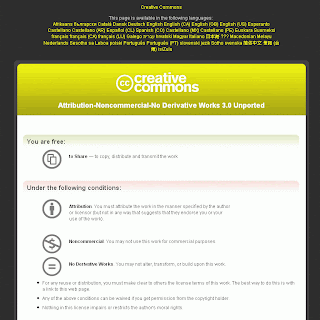
Get a creative commons license and insert it into the blog
Get some copyright going. Creative commons:
Choose the license you like. Get the widget and insert it into your blog. Inserting any additional coding into a blog is done by accessing the dashboard and clicking on settings.
Get a broadcasting account
A broadcasting account will allow you to keep all your movies on one place and to get different people posting video blogs. There are again a lot of broadcasting software’s out there (youtube.com, blip.tv…) we will use blip.tv because it is free and it has come out as the best by users.
Let’s get an account and again write down your password.
If you choose a broadcasting account it is good to look at:
• Cross platform functionalities (different formats possible);
• Mobile possibilities;
• Accessibility.
Upload a video + tag it
Go to Blip.tv, login and click on ‘upload’. We will work our way through the different options.
Tagging is very important! If you use good tagging the chance of your video blogs being picked up by random surfers with a similar interest is increased.
Get RSS going
An RSS (really simple syndication) feed enables people from around the world to get regular/live updates of your blog. If for instance you are implementing a just-in-time eLearning program for team workers across the globe. They will immediately be notified once your new video blog post is uploaded. This will safe time for everybody.
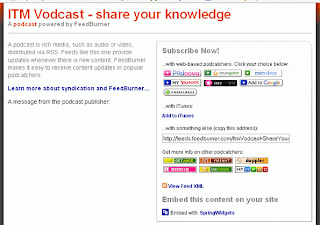
You can add a feed of your own to your blog, but you can also use one of the many feed deliverers. We will use Feedburner.
Comment on each others video posts
Commenting on blogs is essential to keep your blog active and increase your reader potential. So let’s go and have a look at what all of us have done. I have put your blogs on my blog, so start from there to add your comments.
Extras
Pollish your blog:
You can increase the userfriendliness of your blog by implementing some easy guidelines. For this I refer you to Building a Better Blog site and 31days to building a better blog links.
Things to consider:
Codec
Use codec (compression/decompression) that is a standard.
The latest shift in video compression is the use of the h264 codec, this codec however is not functioning on all equipment (mobile devices etcetera) yet. But its use is increasing. But still, do not depend on this yet.
Reusability of video files
Getting high polished movies is ok, but certainly not necessary to get higher outcomes. If you want to deliver content to low resource settings, or if you want your content to be reused later on, it is wise to keep the individual movies short and easy to access.
If you will be using video blogging as a tool for eLearning, it is good practice to keep the individual movies short. Cover one learning outcome per movie. But that is not enough. Try to keep the original scenes of your movie well structured in your ‘original movies’ file. This way, if certain learning content changes, you will only have to retake that small bit of the movie. If you tape everything in one big file, you will have to redo a lot of work.
If you link the content of one movie to a learning outcome, you can reuse it later on in a different context that is also in need for that particular learning outcome, hence saving you time.
Quality
If you have the means to invest in a good video studio, please do.
But setting outstanding standards for your audio and video quality or the surroundings for your recordings will have totally no meaning, if you do not get your learning outcomes covered in your movies. Content is as always the most important thing.
Engage your learners
If you are aiming to address learners, make your movies engaged. Speak to the learners immediately, use the maximum scale of your voice (if you can go with 2 octaves, please use it), grab their attention, don’t just sit there…
Nice link of peer-to-peer video blogging: http://www.friction.tv/home.php
A great freevlog tutorial on video blogging: http://www.freevlog.org/index.php/category/tutorial/
Contact me
Inge de Waard
Blog : http://ignatiawebs.blogspot.com
Scenario WS video blogging
What will we be doing: 10 easy steps for video blogging
1. Update your computer
2. Get video compression software
3. Compress a video
4. Take a screenshot/snapshot of your movie
5. Get a video blog account
6. Get a creative commons license and insert it into the blog
7. Get a broadcasting account
8. Upload a video + tag it
9. Get RSS going
10. Comment on each others video posts
Extras: movies for mobiles, how to improve your blog…
Where does video blogging fit into the new media? In Web2.0 + a bit of talk about what web2.0 is within eLearning context.
Simple IT guidelines:
Naming files
Avoid spaces or special characters in your filenames to keep your files working cross software. There are two simple solutions to keep your filename useable while you exchange it through different software’s:
• camel writing: GuidelinesOnFileNaming.ext
• use underscores guidelines_on_file_naming.ext
Structure your folders
For videoblogging you will need:
• A folder with your original movies;
• A folder with your compressed movies;
• A folder for your screenshots.
Use logical names which you can search in the future! myVideoBlogsOnLearning…
Update your computer
Before beginning it is important to get all the recent plug-ins working. You need to update:
Your operating system’s updates;
Your browser; (firefox )
Flash
Quicktime
Sometimes you need a java update as well
Get video compression software:
Get your hands on a video compressing software. There are a lot out there, so feel free to roam about.
• Windows movie maker
• Mac’s iMovie
Compress a video
You, who have brought a movie, please use that one. The ones who do not: ask me, I have a simple movie on my memory stick.
Best compression for video blogging: video for broadband 512 kbps
Depending on your own multimedia savyness, you could fine-tune your audio and video to your or your participants’ requirements.
Pointers for buying video compression software:
• Does it have compression for mobile devices?
• Does it allow audio and video auditing?
• Does it offer cross platform compressions?
• Does it have a SCORM possibility that will allow you to get your movies going on any Learning Management System (LMS)
Low resource settings: low resource settings demand a higher compression rate. This will decrease the quality, but it will enable them to look at the movies you have posted. This is where tagging comes in handy. If you tag every movie according to the compression rate, it will allow viewers to get files for their settings with one simple click.
Take a screenshot/snapshot of your movie
Select your movie player. Play until you have reached the frame you want to use as a screenshot.
Shortcut (windows): alt + print screen
(Windows) All programs => accessories => ‘paint’
Canvas adjustment in ‘paint’ => image => attributes => 1,1
Paste your screenshot into ‘paint’ and save it in your screenshot folder.

Get a video blog account
There are all sorts of video blogs available (wordpress, blogger, …) we will look at Blogger, because it is really easy and free.
You go to blogger.com and you can just start to get your blog ready.
Get an account and WRITE DOWN YOUR PASSWORD. Each time you log into blogger they will ask it.
Use an email that you can check from this computer => you will need it to allow commenting on your posts later on.
Go into the ‘dashboard area’ and let’s look at the possibilities.
Get a creative commons license and insert it into the blog
Get some copyright going. Creative commons:
Choose the license you like. Get the widget and insert it into your blog. Inserting any additional coding into a blog is done by accessing the dashboard and clicking on settings.

Get a broadcasting account
A broadcasting account will allow you to keep all your movies on one place and to get different people posting video blogs. There are again a lot of broadcasting software’s out there (youtube.com, blip.tv…) we will use blip.tv because it is free and it has come out as the best by users.
Let’s get an account and again write down your password.
If you choose a broadcasting account it is good to look at:
• Cross platform functionalities (different formats possible);
• Mobile possibilities;
• Accessibility.
Upload a video + tag it
Go to Blip.tv, login and click on ‘upload’. We will work our way through the different options.
Tagging is very important! If you use good tagging the chance of your video blogs being picked up by random surfers with a similar interest is increased.
Get RSS going
An RSS (really simple syndication) feed enables people from around the world to get regular/live updates of your blog. If for instance you are implementing a just-in-time eLearning program for team workers across the globe. They will immediately be notified once your new video blog post is uploaded. This will safe time for everybody.

You can add a feed of your own to your blog, but you can also use one of the many feed deliverers. We will use Feedburner.
Comment on each others video posts
Commenting on blogs is essential to keep your blog active and increase your reader potential. So let’s go and have a look at what all of us have done. I have put your blogs on my blog, so start from there to add your comments.
Extras
Pollish your blog:
You can increase the userfriendliness of your blog by implementing some easy guidelines. For this I refer you to Building a Better Blog site and 31days to building a better blog links.
Things to consider:
Codec
Use codec (compression/decompression) that is a standard.
The latest shift in video compression is the use of the h264 codec, this codec however is not functioning on all equipment (mobile devices etcetera) yet. But its use is increasing. But still, do not depend on this yet.
Reusability of video files
Getting high polished movies is ok, but certainly not necessary to get higher outcomes. If you want to deliver content to low resource settings, or if you want your content to be reused later on, it is wise to keep the individual movies short and easy to access.
If you will be using video blogging as a tool for eLearning, it is good practice to keep the individual movies short. Cover one learning outcome per movie. But that is not enough. Try to keep the original scenes of your movie well structured in your ‘original movies’ file. This way, if certain learning content changes, you will only have to retake that small bit of the movie. If you tape everything in one big file, you will have to redo a lot of work.
If you link the content of one movie to a learning outcome, you can reuse it later on in a different context that is also in need for that particular learning outcome, hence saving you time.
Quality
If you have the means to invest in a good video studio, please do.
But setting outstanding standards for your audio and video quality or the surroundings for your recordings will have totally no meaning, if you do not get your learning outcomes covered in your movies. Content is as always the most important thing.
Engage your learners
If you are aiming to address learners, make your movies engaged. Speak to the learners immediately, use the maximum scale of your voice (if you can go with 2 octaves, please use it), grab their attention, don’t just sit there…
Nice link of peer-to-peer video blogging: http://www.friction.tv/home.php
A great freevlog tutorial on video blogging: http://www.freevlog.org/index.php/category/tutorial/
Contact me
Inge de Waard
Blog : http://ignatiawebs.blogspot.com
Friday, 23 November 2007
CLTI07 - George Siemens creating organizational learning
This session of CLTI focused on the need to change learning infrastructure. Learning and development that is up to the newest realities of today.
Learning at somepoint faced death by acronyms and buzzwords. Learning = learning, it does not matter what you call it.

There is also a mismatch: what learners need to do, what we taught learners to do.
We forgot context (situation of knowledge they will need, the technology they will use, ...) we have put context of design above context of use.
Which led to neglecting the learner.
Strategy: learning is the live blood of any corporation.
Intent of learning: advance the capacity of both learners and the organisation they make.
So where are we as companies?
- information growth will enhance even more;
- different people: we will need to task shift quickly (not really multitask);
- different competitors: competition is unclear and
- market disruptions unclear;
- value for corporate functioning = ability to function in this space;
What do we need: an infrastructure of adaptability complex environments will have tension between different view points, but that adds to diversity. But how do we keep a certain stability?
Decision tables understand:
- metrics;
- ROI;
- competitivness;
not the jargon L&D use.
All sorts of cultures will be able to implement their thinking into the learning equation.
Up until now the impact of web2.0 was minor in the organisational environment.
The toolboard should be designed so different tools can be put on them, not like now that the tools seem to dictate the board. (really good point!)
different paths lead to different directions => the importance of case studies is sometimes overstated. Organizational background, context can be so fundamentally different that those cases do not translate well at all.
Every corporation needs to go through three stages: conceptual => experimental => implementation. No matter what there core business is.
Learning needs that we face:one approach won't work, you need a learning ecology.
It is important to make a learning structure/ecology that is dynamic and that can cope with new evolutions and learners needs.

The concept of deep smarts is again increasing, based on the expertise and the experience by a mentor. Different smarts are getting ever more important => thinking holistically. More information is in George Siemens's book KnowingKnowledge (see links underneath).
Things to do
- we need to reflect: on the model, the learning
- evaluate context of learning and recognize the diversity;
- experiment aggressively: this leads to thoughtfull implementation;
- function in gradients: learning has many nuances, that demands nuanced approaches.
My thoughts
death by jargon is so correct;
I like the concept of self-learning :-)
A great idea was the use of task-switching instead of multitasking. Really like that idea and use of words. Will use this.
links that were posted
http://www.lsda.org.uk/files/PDF/1543.pdf
The book of George KnowingKnowledge
A definition http://en.wikipedia.org/wiki/Accretion_(science)
Thursday, 22 November 2007
social media use in low resource settings - who knows?
The digital gap is very real in all low resource areas. While MIT’s one-laptop-per-child is giving access to the much needed hardware, the digital impact of low resource areas is not clear even with the use of social media that is emerging.
But I would imagine (and feel) there is a shift in the new digital era that can make a difference. This shift engages low and high resource areas to exchange knowledge.
The only thing is, what kind of impact do low resource areas have that implement social media?
With the growing access to social media and the web, more secluded areas with (former) low connections are beginning to find their way to the Web and to one another. This new connectivity has a big impact on the global community. That knowledge is helpful and has an impact on health, biology, antropology, etcetera for the world. Or at least, I would think so.
But will these emerging (old) cultures that are engaging in social media projects influencing the global space? What is the impact of social media in low resource areas?
I was following a seminarin SCOPE on low resource areas and eLearning a couple of weeks ago and the output was interesting, but the impact of social media was not discussed.
So does anybody know an example where low resource areas started using social media? Because I would love to know and dive into that topic.
script for podcasts
Today I was working on a script that would enable podcasts to be delivered straight from ITM to the world. So I got my dreamweaver opened, got some serverspace and started writing my XML file to get going with the podcasts.
It worked from my first trial! That was a nice surprise. The only podcast we have for the moment is a test-one that can be implemented in iTunes ( http://www.itg.be/tempupload\uploadfolder\podcast/podcast_itunes_script.xml )
, so no ground breaking Tropical Health topic yet, but still it is exiting.
But I still have to get some details right:
- lenght of the podcast, is there an easy way to get the length of a podcast (in seconds)?
- image: I had an image loaded up, but it probably is taken over by the multimedia of the podcast from as soon as that multimedia material is downloaded... so I am not sure if I need to put an image in.
The script
It is just an image, because the coding kept giving difficulties in my blogpost (I tried 'code' and 'pre' and 'tt' but to no avail:

Subscribe to:
Posts (Atom)